
Why puzzle stations work
Puzzle stations turn review time into something students do instead of sit through. Solving in small groups forces them to talk, point at pieces, and explain their thinking — which is where the actual learning happens. The puzzle is just the reason to start talking.
What you need
- 3–5 images tied to your lesson goal
- A piece count for the age group (12–35 for younger, 50–80 for older)
- One reference image per station, either on paper or on a nearby screen
- A timer or rotation signal
That's it. The reference image at each table matters most — it keeps groups unstuck without you hovering.
Pick images that teach something
The image should not be decorative. A good classroom puzzle gives students something to inspect after the pieces come together.
Before you use an image, ask:
- What will students notice that connects to today's lesson?
- Can they describe at least three details after solving it?
- Is there enough visual contrast for the age group?
- Would the image still make sense if a group only finishes 70% of it?
For example, a random beach photo is usually just a beach photo. A coastline map, a tide-pool diagram, or a historical harbor image gives you something to ask about. The puzzle gets attention; the prompt turns that attention into learning.
Station ideas by subject
- Geography: a map with clear borders. After solving, students label states, rivers, or landmarks.
- Vocabulary: images that represent new words. When done, each student uses the word in a sentence.
- Science: a labeled diagram — plant anatomy, the water cycle, the solar system. Add "label three parts you can see."
- History: a historical photo or timeline. Students describe what happened before and after the moment shown.
- Math: turn a visual word problem into the puzzle; the team solves it once the image is complete.
How to run the rotation
- Group size: 3–4 students per puzzle
- Time per station: 8–12 minutes — short enough that energy stays high
- Roles: assign a sorter, an edge-builder, and an explainer so everyone has a job
A visual timer helps groups self-manage the switch instead of waiting for you.
A 30-minute plan you can use today
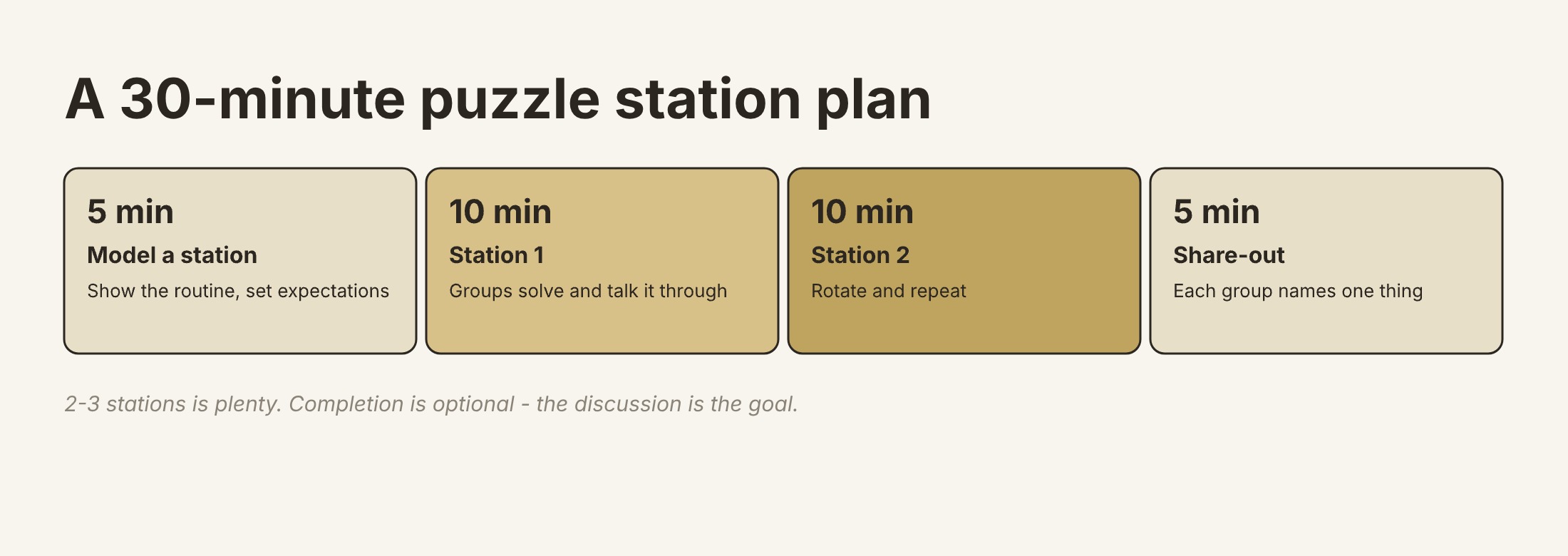
- 5 min — model one station and set expectations ("hands on puzzle, eyes on image")
- 10 min — station 1
- 10 min — station 2
- 5 min — quick share-out: each group names one thing they noticed
Two or three stations is plenty for a 30-minute block. Completion is optional — the discussion is the goal.
Quick assessment
Don't over-engineer this. A two-sentence summary of what the puzzle shows, or a checklist — "name 3 parts, 1 relationship, 1 question you still have" — tells you whether the content landed.
I like collecting the response before groups rotate away. One sticky note per group is enough. If the same misconception appears on several notes, pause the rotation and correct it while the image is still fresh.
Digital link or downloaded file?
Use a share link when students are on devices and you want a fast setup. It avoids paper, and students can zoom if the image has small labels.
Use a downloaded PDF or PNG file when you need an offline station, a substitute-teacher packet, or a take-home activity. Jigsawify creates downloadable files; you handle printing with your own printer or a local print service. For most classrooms, that distinction matters because it affects prep time, paper, and whether the activity can run without devices.
Differentiate without extra prep
- Offer the same image at two piece counts and let groups pick
- Give sentence starters to students who need language support
- Let fast finishers build a higher-count version of the same image
Reuse your work
Once a station format produces good discussion, keep it. Save the source links, prompts, and any downloaded export files together so next term you're remixing images, not redesigning the activity. The Puzzle Generator makes fresh variations from the same setup.
Common classroom mistakes
- Too many pieces. If students spend the whole rotation just sorting, the lesson goal gets lost.
- No reference image. Groups can still solve, but discussion drops because they are guessing instead of comparing.
- Images with tiny text. Labels that look readable on your laptop may be useless on a small handout.
- No closing prompt. A finished puzzle is not evidence of learning. Ask students to name, explain, compare, or predict something based on the image.


