
Introduction
Not every photo makes a great puzzle. The best images give you lots of visual clues without feeling chaotic. Use this guide to pick photos that are challenging in a good way.
Lessons from Testing Hundreds of Images
When I first launched Jigsawify, I assumed any decent photo would make a decent puzzle. I was wrong. I tested over 300 images from my own library and user submissions during the first few months. The pattern became clear fast: photos that look great on Instagram often make terrible puzzles. A moody, desaturated coffee shop photo with beautiful bokeh? Nightmare to solve—everything blends together. Meanwhile, a slightly messy kitchen counter photo with colorful ingredients, a wooden cutting board, and a patterned towel? Surprisingly fun at 100 pieces. The rules below come directly from that testing process, not from theory.
The 4-part quick test
Before I upload anything now, I check four things. If a photo passes all four, it almost always solves well:
- Color variety across the whole frame — not just a bright subject against a plain background
- Clear edges between objects — buildings, trees, people, products give you anchor points
- Texture you can actually see — wood grain, leaves, fabric, stone
- More than one interesting region — so the puzzle does not collapse into one easy area plus one impossible area
The coffee-shop photo failed on 1 and 3. The kitchen counter passed all four.
Photo types that work extremely well
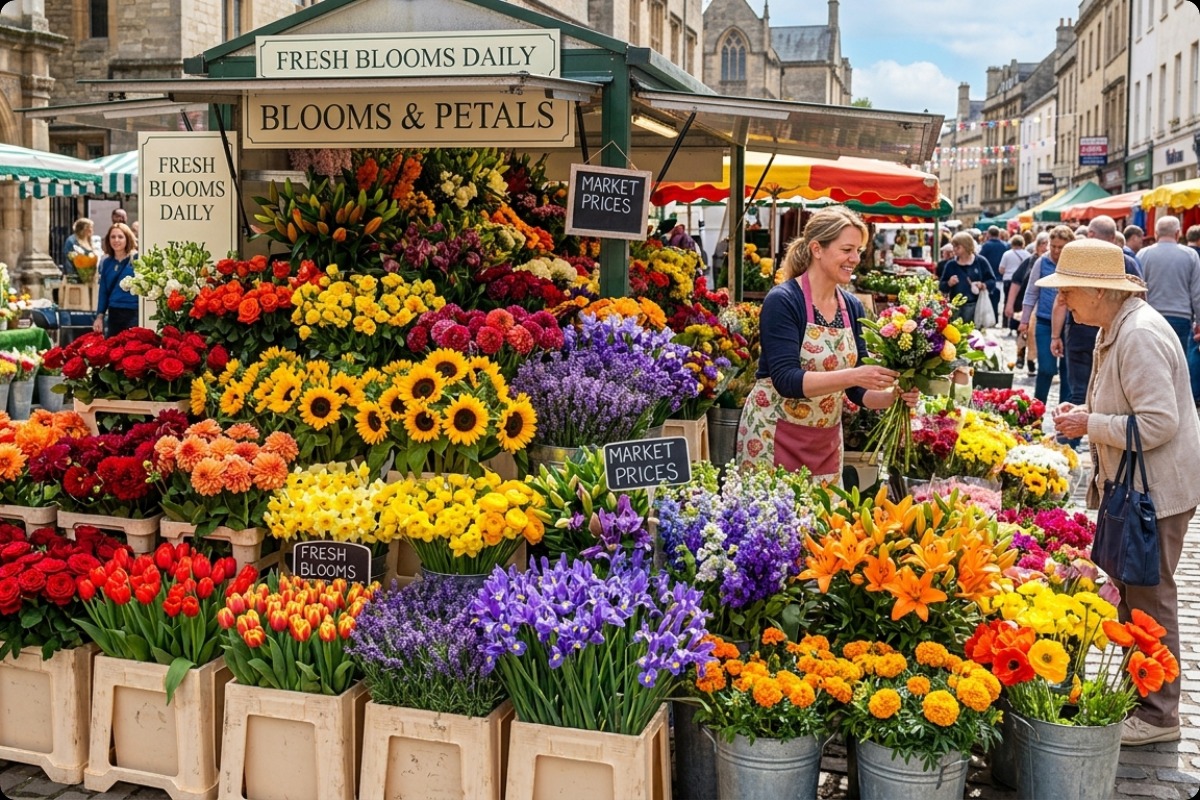
A strong puzzle photo, like the market scene above, spreads detail and contrast across the entire frame, so there are no "dead zones" where every piece looks identical.
- Landscapes and nature — water, leaves, clouds, and rock give natural texture; great for higher piece counts
- Architecture and streets — strong lines, windows, and signs act as anchor points you place first
- Food and tabletop scenes — rich color and small detail; ideal for gifts and short sessions
- Pets or portraits with a busy background — fur and background texture help matching; avoid plain studio backdrops
- Illustrations and art — deliberate composition holds up even at high piece counts
Photos to avoid
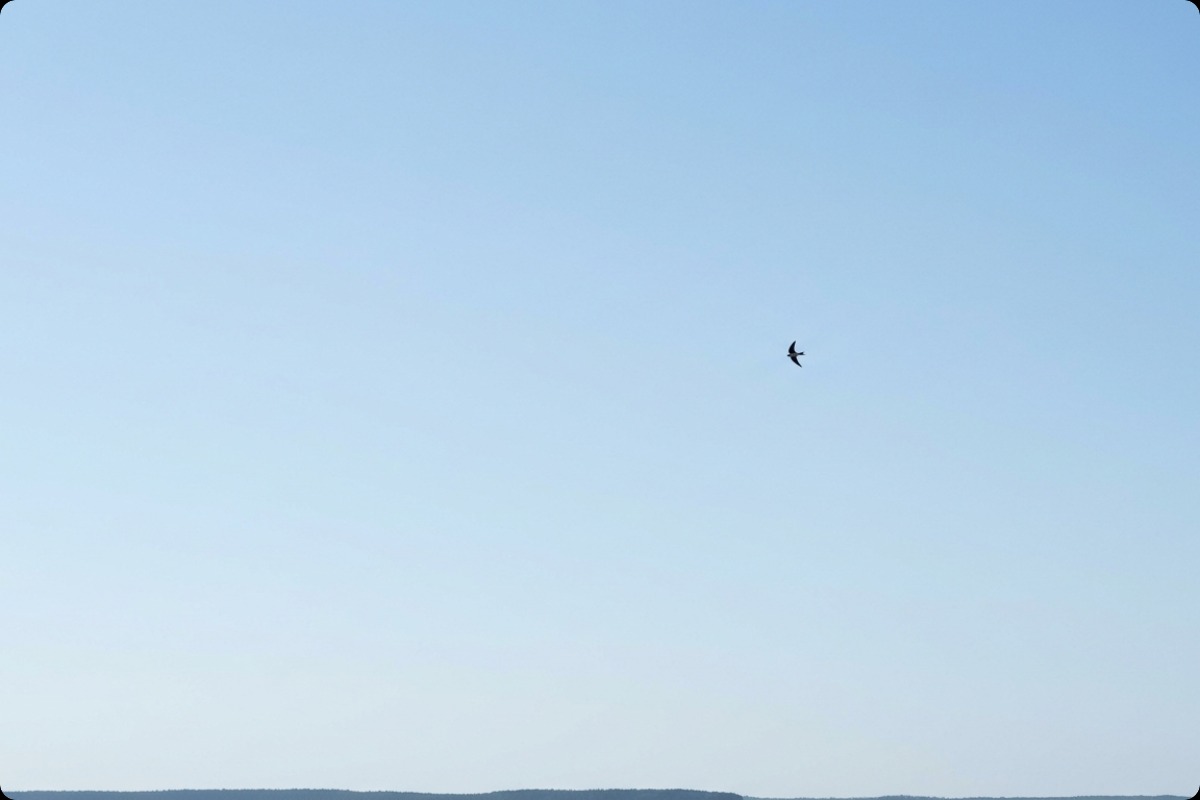
The photo above is the opposite case: most of the frame is smooth, low-contrast sky. Those pieces are nearly interchangeable, which is what makes a puzzle frustrating instead of fun.
- Large empty sky or blank walls
- Very dark images with crushed shadows
- Blurry or low-resolution photos
- Repeating patterns with little variation (brick walls, identical tiles)
The single most common mistake I see is too much sky or background. A landscape that is 60% pale sky gives you dozens of near-identical pieces, and solvers stall the moment they finish the colorful bottom third. The fix is almost always a tighter crop: cut the empty area until the interesting part fills the frame. Most photos that "felt wrong" as puzzles became good ones after nothing more than that crop.
One editing pass before upload
You rarely need heavy editing. One light pass is enough, and over-filtering actually hurts — strong filters flatten the natural transitions that make pieces identifiable. In order:
- Crop out dead space (especially empty sky)
- Lift contrast slightly to separate edges
- Check that all four borders have some variation, not just the center
- Export a high-quality JPG or WebP, not a heavily compressed one
Match the photo to the session you want
The same "rules" change depending on who is solving:
- Relaxing solo session — nature scenes, warm colors, moderate detail, 70–140 pieces
- Competitive challenge — dense city or crowd scenes, repeating texture, 180+ pieces
- Kids or family — one bright subject, clear foreground/background, minimal dark clutter, 9–70 pieces
If you are unsure whether an image is robust, test it at two counts (say 35 and 140). If both feel playable, the source image is strong enough for anything in between.
You can try any of this directly in the Jigsawify creator — upload, pick a count, and adjust if it feels too easy or too hard.


